In this tutorial we will learn Python from basics, you just have to follow all topics as per the sequence and practice the python programs given here.
Which IDE I can use for python programming?
You have number of options to practice Python. You can choose any one from Pycharm, visual studio, anaconda distribution. For beginners we will suggest Pycharm or anaconda distribution. Once you will be familiar with python then you can use visual studio or any other ide.
Where can I get Python & Pycharm IDE?
You can download python from its official website and install it, for Pycharm you can visit it’s official website. You will find two options there to download python. Download community version & install it. Installation of python & Pycharm is very easy you just have to follow instructions while installing python & Pycharm.
Once you finish with installation, lets start to practice
Why Python?
- For Desktop Application Development.
- For Web based application Development.
- Data Science, Big data, solve Complex Mathematical problems.
- Artificial Intelligence.
- Devops (cloud) based application.
- Python works on different platforms (Windows, Linux etc).
- Python has a simple syntax similar to the English language.
- Python has syntax that allows developers to write programs with fewer lines than some other programming languages.
- Python runs on an interpreter system, meaning that code is executed line by line.
- Python allows us to write procedural programming or object-oriented way or a functional way.
What is Python?
- Python is a popular programming language.
- It was created by Guido van Rossum, and released in 1991.
What Python can do?
- Python can be used on a server to create web applications.
- Python can be used alongside software to create workflows.
- Python can connect to database systems. It can also read and modify files.
- Python can be used to handle big data and perform complex mathematics.
- Python can be used for rapid prototyping, or for production-ready software development.
Installation guidelines for Python :
- Install Python 3 Latest Version on Windows
- Run the Python Installer
- Make sure to mark Add Python 3 to PATH otherwise you will have to do it explicitly
- It will start installing python on windows.
- After installation is complete click on Close.
- Python is installed. Now go to windows and type IDLE.
- After that you can install any IDE like PyCharm or VS code etc
What is the use of Print() Function?
- Print() function is used for output purposes in python.
- eg: print(“Hello World”) or Print(‘hello World)
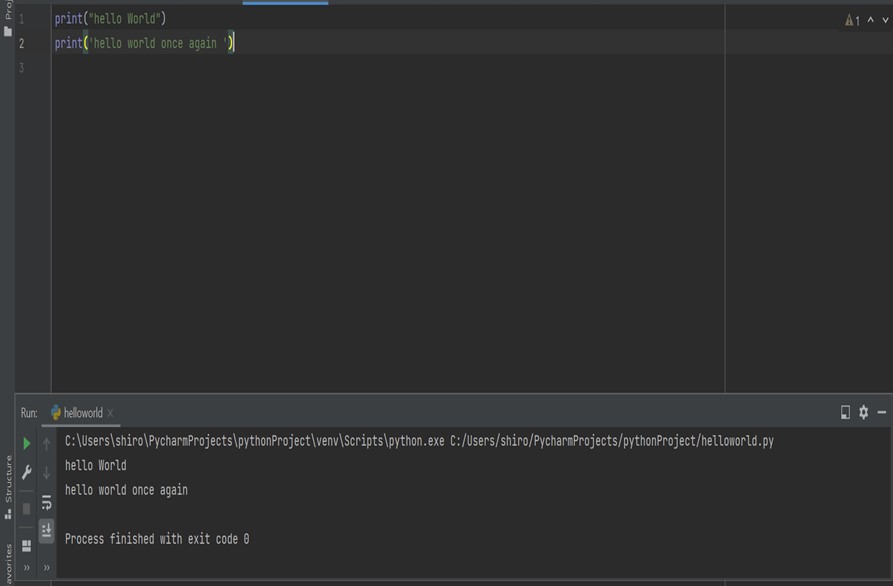
- lets write our first python program add following code to new file (if you are using IDE eg. PyCharm) & save with .py extension.
- Python file has .py extension.
#we can write output message using single or double quotes.
print("hello World")
print('hello world once again ')
Note: Python for its scope doesn’t depend on the braces ( { } ), instead it uses indentation for its scope.
Conclusion:
Here we understood how to display output using print() in python & extension of python file.